SportsFire APK
Description
SportsFire APK is one of the names users may come across while searching for a sports-focused application for Android-based devices. It is commonly associated with event schedules, channel listings and a television-style interface. Finding the right place to follow live sports can be confusing. Different leagues, competitions and events are often available through different broadcasters, apps and subscription plans.
However, SportsFire APK is not presented like a typical app from a major official app store. That means users should look beyond attractive feature claims and consider important questions about compatibility, privacy, reliability and content rights. This guide explains what app is, how it is generally used, which devices may support it and what you should check before installing any application from outside an official app store.
Important note: This article is for general information only. It does not host application files, provide unofficial streaming links or encourage access to copyrighted content without permission. Always use authorized services and follow the laws that apply in your location.
What Is SportsFire APK?
SportsFire App is an Android-focused application associated with sports schedules, event listings and television-style channel browsing. Its interface is designed to help users find sports-related content without moving through several complicated menus. Depending on the version and device, users may see upcoming events, program information, categories or channel lists.
The idea is simple: instead of searching separately for each match, a user can open one interface and check what is available. For example, someone interested in football may prefer to search by event or team rather than trying to remember which broadcaster is showing a particular game. That convenience is one reason SportsFire APK receives attention. However, convenience alone does not confirm whether an app is secure, officially supported or authorized to provide particular content.
SportsFire at a Glance
| Detail | General information |
|---|---|
| App category | Sports information and streaming-related application |
| Main platform | Android-based devices |
| Common devices | Android phones, Android TV, Google TV and Fire TV |
| Official app-store availability | May not be available through major app stores |
| Account requirement | Can vary by version |
| Developer information | Should be independently verified |
| Content availability | May vary by device, region and service status |
| Reliability | Can change between versions |
| Recommended approach | Verify the source, permissions and legal availability |
Version numbers, file sizes and installation methods may change. Readers should avoid relying on old guides that have not been reviewed recently.
What Features Does SportsFire APK Offer?
The exact feature set may vary, but SportsFire is generally promoted around a few core functions.
Sports event listings
The app may display a schedule of current or upcoming sporting events.
This can save time for users who know the event they want to follow but do not know where it is being shown.
A useful event listing should clearly display:
- Team or participant names
- Event date
- Starting time
- Sport or competition
- Relevant channel information
- Time zone details
Schedules are only useful when they remain accurate. Users should compare important event times with an official league or broadcaster website.
Channel-style navigation
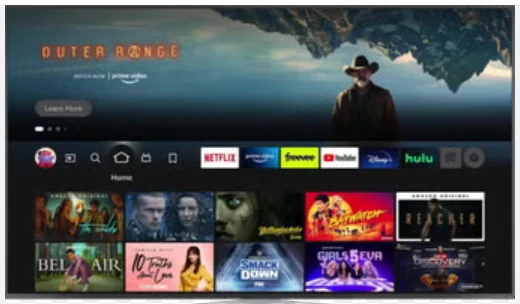
SportsFire APK may organize content in a layout that feels similar to a television guide.
This can be easier to use on a large screen than a mobile-style interface. Users can move through categories using a remote rather than typing long search terms.
The quality of this experience depends on whether:
- Buttons respond correctly
- The selected item is clearly highlighted
- The Back button works as expected
- Menus fit the television screen
- Pop-ups can be closed with a remote
An app can technically run on a TV device without being properly optimized for remote-control navigation.
Electronic program information
Some versions may include electronic program information showing what is currently scheduled and what may be available later.
This feature is helpful when the information is current and matched to the correct time zone.
For example, a program guide may look complete but still create confusion if the event time is shown in a different region’s time zone.
Categories and filters
Sports-focused filters can help users browse by:
- Sport
- Country
- Competition
- Event
- Channel
- Starting time
Filters should reduce the time required to find relevant information. If they create duplicate or outdated results, they may be less useful than checking an official schedule directly.
Which Devices May Support SportsFire APK?
SportsFire is mainly associated with Android-based operating systems. Compatibility can still differ between device models and software versions.
SportsFire on Android Phones and Tablets
Android phones and tablets can install applications in the APK format when the device allows installation from an approved source.
However, users should not assume that every Android device is compatible.
Performance may depend on:
- Android version
- Available storage
- Device memory
- Screen size
- Processor performance
- App version
- Internet connection
An interface designed for television may also feel awkward on a touchscreen. Small buttons, landscape layouts or remote-focused controls can make navigation less comfortable on a phone.
SportsFire APK on Android TV and Google TV
Android TV and Google TV devices are a more natural fit for a television-style sports interface.
Before considering an app suitable for a TV, check whether:
- The home screen loads correctly
- Text is readable from a distance
- Menus fit within the screen
- Remote navigation works
- Video controls are accessible
- The app closes properly
- The device remains responsive
A real-world example is an app that opens normally but does not show a visible selection box when the remote buttons are pressed. The app is running, but it is still difficult to use.
SportsFire APK on Amazon Fire TV and FireStick
Amazon Fire TV devices use an Android-based system, so some Android applications may be technically compatible.
That does not guarantee that every SportsFire version will work on every FireStick model.
Possible problems include:
- Installation errors
- Limited storage
- Remote-navigation issues
- App crashes
- Update conflicts
- Compatibility problems after a system update
Fire TV owners should be particularly careful with outdated tutorials. Instructions written for an older interface or installer may no longer apply.
SportsFire APK on Windows and Mac
- SportsFire is not generally presented as a native Windows or macOS application.
- Running an Android app on a computer may require an Android-compatible environment or emulator. That adds extra software and can create additional performance or privacy concerns.
- For most users, an official browser-based sports service is easier to manage on a computer.
SportsFire APK on Roku
- Roku devices do not directly install Android APK files.
- A website offering a “SportsFire APK for Roku” may be using confusing or inaccurate wording.
- Screen mirroring from another device may sometimes be possible, but mirroring is not the same as installing the app directly on Roku.
SportsFire APK on iPhone and iPad
- Android APK files cannot be installed on Apple iPhones or iPads.
- Users should be cautious when a website promotes an “APK for iOS.” APK is an Android application format and is not a native iOS installation file.
- The safest way to confirm iPhone availability is to search Apple’s official App Store for a verified listing from an identifiable developer.
Is SportsFire APK Available on Official App Stores?
SportsFire may not be available through major official stores such as Google Play or the Amazon Appstore.
Applications distributed outside official stores are not automatically harmful. Many legitimate developers distribute software directly.
However, official stores normally provide additional trust signals, including:
- Developer identity
- User reviews
- Update history
- Permission summaries
- Security screening
- Removal procedures
- Support details
- Privacy information
When those signals are missing, users need to perform more checks themselves.
Is SportsFire APK Safe?
It is not responsible to describe every SportsFire file as completely safe. Different websites may offer files with similar names. One file may be genuine, another may be outdated and another may have been modified by an unrelated person. A trustworthy safety review should examine the exact file being discussed.
Important checks include:
- Full filename
- File size
- Version number
- Download source
- File hash
- Signing certificate
- Requested permissions
- Security-scan date
- Network activity
- Developer identity
A claim such as “security verified” has limited value when the website does not explain what was tested.
Check app permissions carefully
A sports application may reasonably require internet access. It may also need limited storage access during installation or updates.
Users should pause when an app requests access that appears unrelated to its basic purpose.
Examples include:
- Contacts
- SMS messages
- Call history
- Microphone
- Camera
- Precise location
- Accessibility controls
- Device-administrator access
A simple sports guide should not normally require broad access to personal communication data.
Keep device security enabled
- Do not disable built-in security tools simply because an installation guide says they are inconvenient.
- Device protections can identify suspicious behavior, unsafe files and unusual permission requests.
- A security warning should be investigated rather than automatically ignored.
A clean scan is not a guarantee
Security-scanning services can provide useful information, but no scan can guarantee that an app is completely harmless.
A file may behave differently after an update. A new threat may not be recognized immediately. An app can also collect unnecessary data without being classified as traditional malware.
Responsible wording would be:
No known threat was identified in the exact file at the time it was tested. This result does not guarantee the safety of every version or download source.
How to Evaluate a SportsFire APK Download Source
This article does not provide a direct download link. Sources and files can change, and an old link may later point somewhere different.
Before considering any source, look for clear evidence of ownership and accountability.
A more trustworthy source should provide:
- A named developer or company
- A working support address
- A clear privacy policy
- Version history
- Update dates
- File information
- Permission explanations
- Consistent branding
- Transparent contact details
Be cautious when a website:
- Uses several large download buttons
- Opens unrelated pages
- Shows fake countdown timers
- Requests browser-notification permission
- Claims “100% safe” without evidence
- Uses an unrelated domain
- Offers several files with different version numbers
- Tells users to disable all device protections
The design of a website does not prove that its files are authentic.
Is SportsFire APK Legal?
The legal question depends on the content being accessed, the source providing it, the rights held by that source and the laws in the user’s country. Installing an app is not the same issue as viewing copyrighted content without authorization.
A sports event may be available through:
- An official broadcaster
- A league-owned service
- A licensed streaming platform
- A free authorized channel
- A regional rights holder
- An unauthorized third-party source
Users should confirm that the service they use has the right to distribute the event in their region.
The fact that a stream is available without payment does not automatically mean that it is legal. Some official services offer free events, while some unauthorized sources also offer free access.
The safest approach is to use services that clearly identify:
- The company operating the platform
- The sports rights they hold
- The countries they serve
- Their subscription terms
- Their privacy policy
- Their customer-support process
A privacy tool or VPN does not change the licensing status of content.
How Well Does SportsFire APK Perform?
Performance can differ widely between versions, devices and network conditions. A useful review should not describe the app as “buffer-free” without conducting a controlled test.
Important performance checks include:
- Installation success
- Startup time
- Menu response
- Schedule-loading speed
- Remote-control navigation
- Playback startup time
- Buffering frequency
- Audio and video synchronization
- App crashes
- Device temperature
- Data use
Example of a useful test
Imagine that a reviewer opens 10 event listings.
Eight listings open successfully, but:
- Two take more than 30 seconds to start
- Three buffer several times
- One has no audio
- Two are noticeably delayed
Saying that “8 out of 10 streams worked” would not tell the whole story.
A useful review should explain both the success rate and the quality of the experience.
Why SportsFire APK May Buffer
Buffering does not always mean that the user’s internet connection is slow.
Possible causes include:
- Weak Wi-Fi
- Network congestion
- Limited device memory
- An overloaded source server
- High video quality
- Background downloads
- Old app data
- App compatibility problems
A helpful first step is to test another trusted streaming service on the same device.
If every service buffers, the home network may be the problem.
If other services work normally but one SportsFire source does not, the issue may be related to that particular source.
Common SportsFire APK Problems and Practical Fixes
SportsFire Will Not Open
Try these basic checks:
- Close the app completely.
- Restart the device.
- Confirm that the internet connection is active.
- Check whether the device date and time are correct.
- Make sure the app version is compatible with the device.
- Review available storage.
- Check for a reliable service-status update.
Repeatedly reinstalling the same file may not help if the problem is related to the service itself.
SportsFire APK Will Not Install
Common causes include:
- A damaged file
- Insufficient storage
- An incompatible Android version
- A conflicting previous installation
- A signature mismatch
- Installation permission not being enabled
- A file from an unreliable source
A signature mismatch can happen when a user tries to install a file signed by a different party over an existing version.
SportsFire APK Shows a Black Screen
A black screen may be caused by:
- Temporary service issues
- App-cache problems
- Device incompatibility
- Network filtering
- Incorrect date and time
- An outdated version
- Video-rendering problems
Restarting the device and checking for a service update are safer first steps than changing several advanced system settings.
SportsFire Schedule Is Empty
When the app opens but no events appear, check:
- Internet connectivity
- Time-zone settings
- Whether all categories are affected
- Whether other users report the same issue
- Whether scheduled maintenance is taking place
If the schedule is unavailable for many users, reinstalling the app may not solve the problem.
SportsFire Crashes During Navigation
Record the following information:
- Device model
- Android or Fire OS version
- App version
- Page that caused the crash
- Steps taken before the crash
- Whether it happens every time
This information makes it easier to determine whether the issue is device-specific or connected to the current app release.
SportsFire Pros and Cons
Potential advantages
- Sports-focused interface
- Event information in one place
- TV-friendly layout
- Schedule-based navigation
- May support several Android-based devices
- Can be simpler than searching manually
Potential disadvantages
- May not be available through major app stores
- Developer information may be difficult to verify
- Compatibility can vary
- Old installation guides may be inaccurate
- Service reliability can change
- Content rights may not be clear
- Security depends on the exact file
- Limited official customer support may be available
SportsFire’s main attraction is convenience. Its main weakness is the amount of information users may need to verify independently.
Safer and More Transparent SportsFire APK Alternatives
The best alternative depends on the sport, competition and country.
Sports broadcasting rights vary by location, so no single platform carries every event worldwide.
Users can consider:
Official sports networks
Established sports networks often offer live events, analysis, highlights and replays through their own apps or authorized partners.
League-owned services
Some leagues operate official streaming or subscription services.
Before subscribing, check:
- Live-event availability
- Local blackout rules
- Playoff coverage
- Replay access
- Supported devices
- Regional restrictions
Broadcaster streaming platforms
Television broadcasters may include sports as part of a wider entertainment subscription.
This option can offer better customer support, stable applications and clear billing information.
Free authorized sports platforms
Some competitions, broadcasters and leagues provide selected events, highlights or sports-news channels for free.
“Free” does not always mean unauthorized. The important factor is whether the platform openly identifies its content rights.
Is SportsFire Worth Considering?
SportsFire may interest users who prefer a simple sports-centered interface on an Android-based device.
Its usefulness depends on several factors:
- Whether the current version works
- Whether the source is trustworthy
- Whether the device is compatible
- Whether the app requests reasonable permissions
- Whether the content is authorized
- Whether official alternatives are available
Users who value clear company information, dependable customer support and transparent content rights may prefer an established official streaming platform.
Those considering SportsFire should research the exact version and source rather than relying on generic statements such as “latest,” “official” or “completely safe.”
Frequently Asked Questions
Is SportsFire APK free?
SportsFire is often described as a free application. That does not confirm whether every item of content available through it is authorized. Users should check the rights and terms attached to the content they access.
Is SportsFire available on Google Play?
A verified Google Play listing may not be available. Users should search the official store directly and confirm the developer’s identity before trusting a listing with a similar name.
Can SportsFire APK work on FireStick?
Some Android applications may work on Fire TV devices, but compatibility can vary between FireStick models, operating-system versions and app releases.
Does SportsFire APK work on Android TV?
SportsFire APK is generally associated with Android-based television devices. Actual performance depends on the device, app version and remote-control support.
Is SportsFire APK available for iPhone?
Android APK files do not install on iPhones. Users should only trust a native iOS version when it appears as a verified listing in Apple’s official App Store.
Why is SportsFire APK not working?
Possible reasons include an outdated app, temporary service problems, an unsupported device, insufficient storage, network issues or a damaged installation file.
Why does SportsFire APK keep buffering?
Buffering may result from Wi-Fi problems, device limitations, network congestion or an overloaded content source. Test another trusted service to identify whether the problem is local.
Does a VPN make SportsFire APK safe?
No. A VPN does not verify an application file, remove harmful code or confirm that content is legally authorized.
Final Thoughts
SportsFire APK may seem useful for people who want a simple way to explore sports schedules and content on Android-based devices, but it should be approached carefully. Before installing it, users should verify the download source, check the requested permissions, confirm device compatibility and understand that availability and performance may change between versions. Since the developer information, app-store presence and content licensing are not always easy to confirm, SportsFire should not be treated as automatically safe or officially authorized. For a more reliable experience, it is better to compare the app with verified sports platforms that provide clear ownership details, regular security updates, customer support and transparent broadcasting rights.
Download links
How to install SportsFire APK APK?
1. Tap the downloaded SportsFire APK APK file.
2. Touch install.
3. Follow the steps on the screen.