OiTube App
Description
Some pages describe it as a way to watch online videos without constant interruptions. Others present it as an offline media player for videos and music already saved on your phone. Even the current Google Play listing mixes both ideas: the app is titled “OiTube – Local Video Player,” but its description still promotes background playback, floating video windows and streaming-style features.
So, what does OiTube App actually do in 2026?
The most accurate answer is that OiTube App is currently positioned as an Android media player with strong support for local files, background playback and floating playback. Some users also report being able to access online content, but that experience does not appear to be consistent across every device, region or app version. This guide explains what the App offers, how its advertising works, what information it may collect, where to download it and what to try when it only displays local files.
What Is the OiTube App?
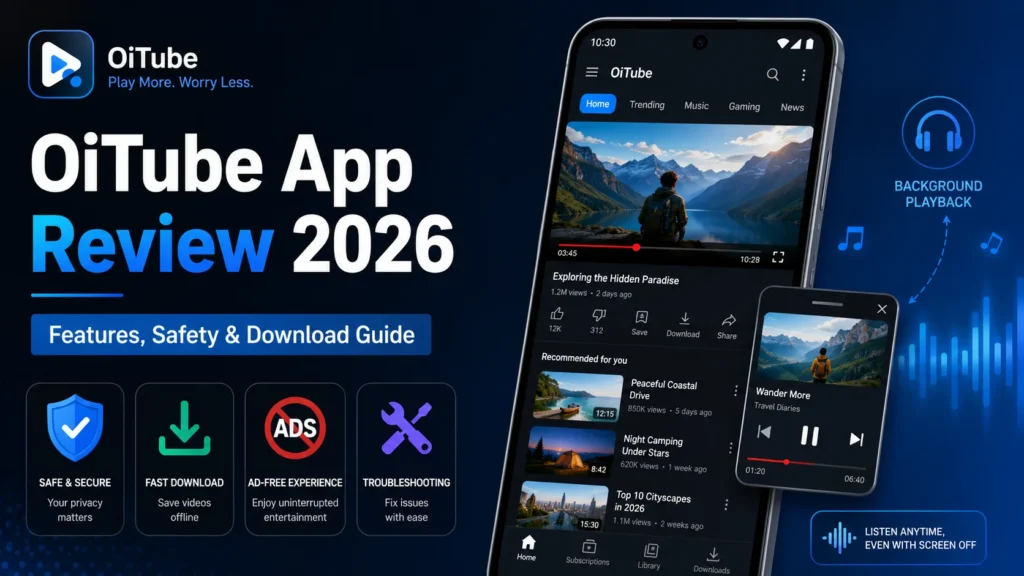
OiTube App is an Android video and audio player designed to keep media playing while you use other apps or turn off your screen. Its advertised tools include local-file playback, background audio, a movable floating video window, playback-speed controls, dark mode and support for HD or 4K video files.
The online-video side is less clear.
Older descriptions and third-party download pages often present OiTube App as a YouTube-style player. The current developer website still describes screen-off and background media playback, while Uptodown describes the app as a way to enjoy YouTube videos in the background. However, the present Google Play title places much more emphasis on local playback.
That difference matters. Someone searching for a flexible player for downloaded videos may get exactly what they need. Someone expecting a complete replacement for the official YouTube app may be disappointed.
Is OiTube App an Online Video App or a Local Video Player?
At the moment, it appears to be primarily marketed as a local video player, with some online or streaming-related functionality that may vary. The current Play Store listing was updated on June 18, 2026. Its title says “Local Video Player,” and the first major feature listed is support for offline media files. At the same time, the description still refers to “streaming videos,” background video playback and a floating window.
Recent user reviews illustrate why the answer is not simple.
One reviewer in June 2026 praised the app for background playback and said it continued working with the phone screen off. Another reviewer in May 2026 reported that the home tab had stopped loading and that only “My Files” and local content remained visible. These reports suggest that online access may work for some people while disappearing or failing for others.
Imagine two users:
Maria downloads OiTube App to listen to saved lectures. She imports several MP4 files, starts a lecture and locks her phone. For her, the app’s local-file and screen-off playback tools are the main attraction.
Daniel downloads it expecting a full online-video feed. He opens the app and sees only local files. Even if the video player works perfectly, he will feel that the app is broken because the experience does not match older descriptions he found in search results.
Both experiences can be consistent with the current information available about OiTube. For that reason, install the app based on its confirmed local-player features. Treat online video discovery as a feature you need to verify on your own device, not as a guaranteed replacement for YouTube.
Main OiTube App Features
Here is what the current listings say the app can do.
| Feature | What it means in everyday use | Important limitation |
|---|---|---|
| Local video playback | Play videos stored on your phone | Requires access to selected media files |
| Local audio playback | Listen to saved music, podcasts or recordings | Format support can vary by device |
| Background playback | Keep listening while using another app | Battery settings may stop it |
| Screen-off playback | Continue audio after locking the screen | User experiences may vary |
| Floating video player | Watch in a small movable window | May require special display permission |
| HD and 4K playback | Open higher-resolution video files | Actual quality depends on the file and device |
| Playback-speed control | Slow down or speed up audio and video | Useful for lectures, podcasts and tutorials |
| Brightness and volume gestures | Adjust playback without leaving the player | Exact controls may vary by version |
| Dark mode | Use a darker interface in low light | Does not change the video itself |
| Online video access | Find or play online content | Availability appears inconsistent |
| Ad skipping | May reduce some video interruptions | OiTube may still display its own ads |
The key phrase here is “may vary.” A store description tells you what the developer intends to offer; it does not prove that every function will work on every phone.
For example, a 4K file may technically open in the app, but an older phone may still stutter because its processor cannot decode the video smoothly. Similarly, background playback may work until the phone’s battery manager closes OiTube after several minutes.
Does the OiTube App Really Block Ads?
OiTube App should not be described as completely ad-free.
Google Play clearly labels the app as containing ads. The current listing does not promise that the app itself will never show advertisements.
The confusion comes from the difference between two types of advertising:
- Ads attached to an online video
- Ads displayed by APK itself
An app may reduce or skip some advertising inside online videos while still showing banners, pop-ups or full-screen advertisements in its own interface. Real user reports show both sides of the experience. A May 2026 reviewer said OiTube helped reduce intrusive video advertising. By contrast, other reviewers complained about ads appearing when opening a video or returning to the app after using background playback. One older reviewer said the number and placement of ads became noticeably worse after the first week of use.
Consider this practical example:
You start a 20-minute interview and do not see a traditional pre-roll video ad. Halfway through, you switch to a messaging app while the audio continues. When you return to APK , the app displays a full-screen advertisement. In that situation, OiTube App may have reduced advertising during the video, but your overall experience was not ad-free.
A fair conclusion is:
OiTube may reduce certain video-ad interruptions for some users, but the app contains advertising and should not be promoted as a guaranteed ad-free service. Its advertising model can also change after an update, so reviews written several years ago may not reflect what a new user sees today.
Is the OiTube App Safe?
There is no responsible way to answer this with an unconditional yes or no. The OiTube APK is available on Google Play under the package name com.skipads.oitube.official, with more than 50 million downloads shown on the listing. Installing that version gives you the benefit of Google Play’s normal delivery and update process.
That does not mean you should ignore permissions or privacy disclosures. It means the Google Play listing is generally easier to verify than a random APK file downloaded from an unfamiliar website.
Google Play Protect scans apps from Google Play before installation and can also check apps installed from other sources. It may warn users, disable an app or remove software identified as potentially harmful. Google nevertheless warns that installing applications from unknown sources can put a device and its information at risk.
When assessing OiTube, consider four separate questions:
1. Where did you download it?
A Google Play installation is easier to trace to the listed developer and package name. An APK copied to a file-sharing site may have been modified, repackaged or signed by someone else.
2. Does the package name match?
The current Play package is:
com.skipads.oitube.official
Uptodown lists the same package name for its OiTube APK. Matching names are a useful check, although they do not prove that two files contain identical code.
3. What permissions does it request?
Access to videos, audio or files makes sense for a local media player. A request for unrelated access such as call logs, SMS messages or device-administrator control would deserve closer scrutiny.
4. Are you comfortable with its data practices?
This is where users should read more than the short Google Play summary.
OiTube Permissions and Privacy Explained
The Google Play data-safety panel says the app may collect files and documents plus app information and performance data. It also says data is encrypted in transit, users can request deletion and no data is shared with third parties. These declarations are supplied by the developer.
The full privacy policy contains a broader description.
It says OiTube App may receive Google account information when a user signs in. It also discusses collecting app usage, viewed or selected content, activity duration, IP address, network information, device identifiers, crash logs and information about installed packages. The policy says personal data may be used for analytics, service improvement and advertising. It also describes sharing with service providers, advertisers, measurement companies, affiliates and other partners in specified circumstances.
That creates a notable difference between the concise Play Store disclosure and the longer privacy policy. It does not automatically prove improper behavior, but it does mean privacy-conscious users should read the complete policy rather than relying only on the store’s icons.
The privacy policy is marked effective February 22, 2023, while the Android app continued receiving updates in 2026. That age does not make the policy invalid, but a recently reviewed privacy notice would provide more confidence that the wording reflects the current version.
Permissions that may have a reasonable purpose
- Photos, videos, music or files: OiTube needs access to media if you want it to find and play files stored on your phone.
- Display over other apps: A floating player may need permission to appear above messaging, browsing or productivity apps.
- Notifications: Background playback controls may appear in the notification area.
- Network access: Online content, advertisements, analytics and app updates require an internet connection.
- Before granting a permission, ask a simple question: Does this access support a feature I am currently trying to use?
- For example, media access makes sense when you open a saved video. Contact-list access would be much harder to justify for basic playback.
- Android lets you review or revoke permissions by opening Settings > Apps > Permissions. Menu names can differ slightly between phone brands and Android versions.
How to Download the OiTube App Safely?
The safest starting point is the current Google Play listing.
Do not search for “OiTube download” and tap the first large green button you see. Search results include multiple websites using the App name, and they are not necessarily operated by the developer shown on Google Play. That distinction is important. A familiar logo or domain name is not enough to establish ownership.
When downloading OiTube App:
- Open Google Play on your Android device.
- Search for App– Local Video Player.
- Check that the package is
com.skipads.oitube.official. - Confirm the developer details shown on the listing.
- Read several recent reviews.
- Review the data-safety section.
- Install the app without turning off Play Protect.
- Grant only the permissions required for the features you plan to use.
Pay attention to the date of the reviews. A five-star comment from 2022 may describe a version that behaves very differently from the one available in 2026.
Google Play vs. OiTube APK Download
An APK is the installation file used by Android applications. Installing one manually is often called sideloading.
| Factor | Google Play version | Third-party APK |
|---|---|---|
| Installation | One-tap store process | Manual installation |
| Automatic updates | Normally available | May not be available |
| Source verification | Easier | Depends on the website |
| Version choice | Store-selected version | Older versions may be offered |
| Security checks | Integrated with Play protections | Requires more user verification |
| File details | Often hidden from ordinary users | May show hash, size and architecture |
| Risk | Generally lower | Higher when the source is unknown |
As of July 2026, Uptodown lists OiTube App version 5.6.40.104, dated July 2, 2026, for Android 5.0 or later. It lists a file size of 28.36 MB, the same package name as Google Play and a SHA-256 hash for that specific APK. Uptodown also offers a history of older versions.
The current public Google Play page shows an update date of June 18, 2026 but does not display a comparable version number in the page text. Therefore, you cannot safely conclude from the dates alone that a third-party APK is “newer” or “better” than the Play release. App stores may use different release channels, staged rollouts or regional builds.
A hash is useful because it identifies a specific file. It can tell you whether the APK you downloaded matches a hash published by the source. It cannot tell you whether the application is trustworthy in the first place.
How to Install an OiTube APK on Android
Use the Google Play version unless you have a clear reason to install an APK manually.
A reasonable reason might be that the app is unavailable in your region or the current release no longer supports an older device. “A website said this version has fewer ads” is not a strong reason, especially when the file has been modified.
When sideloading:
- Download the file from a source you have independently evaluated.
- Confirm the package name and version.
- Compare the published file size and hash.
- Keep Google Play Protect enabled.
- Open the APK from your browser or file manager.
- Allow that specific app to install unknown applications when Android prompts you.
- Complete the installation.
- Turn off the unknown-app installation permission afterward.
- Review OiTube’s permissions before opening personal files or signing in.
Avoid any installer that asks you to permanently disable security protections. Google’s policies specifically warn against software that tricks users into turning off protections such as Play Protect.
Also remember that an old APK may install successfully but fail to load online content. Server-based features can change even when the application file on your phone remains unchanged.
How to Use the OiTube App
The exact screen labels can change between versions, but the basic local-player workflow should look familiar.
Play a video stored on your phone
- Open OiTube.
- Select My Files, Local or a similar media-library option.
- Allow access to the videos or audio you want to play.
- Choose a folder or media file.
- Tap the file to begin playback.
- Use the player controls to change volume, brightness, speed or orientation.
A practical example is watching a downloaded training course during a flight. Because the files are stored locally, you do not need a live internet connection after importing them.
Use background playback
Start a video or audio file, then return to your home screen or open another app. If background playback is working, the audio should continue.
This is useful when listening to:
- A lecture while taking notes.
- A podcast while checking email.
- A saved interview while using navigation.
- Music while the screen is locked.
If playback stops immediately, check the troubleshooting section below.
Use the floating player
Start a video and look for a minimize, pop-up or floating-player control. The video should shrink into a smaller window that remains above other apps. For example, you could keep a cooking tutorial visible while opening a notes app to check ingredient quantities. You may need to approve picture-in-picture or display-over-other-apps access. Only grant overlay access when you trust the application, because it allows content to appear above other apps.
OiTube App Not Working: Common Problems and Fixes
OiTube is not loading online videos
First, determine whether the problem is your connection or whether the online section is unavailable in your build.
Try these steps:
- Open another app or website to confirm that your internet connection works.
- Switch between Wi-Fi and mobile data.
- Restart APK.
- Check Google Play for an update.
- Restart your phone.
- Open Settings > Apps > Storage and clear the cache.
- Temporarily test without a VPN, custom DNS service or network-level ad blocker.
- Check whether the app now shows only local-player sections.
A recent user reported that the home page stopped loading while the local and file sections remained. That kind of problem may be caused by an app bug or a server-side change, so clearing the cache will not always fix it.
Do not immediately install a much older APK. An older interface may include the missing tab but still be unable to connect to the service behind it.
OiTube App only shows local videos
This may be the app’s current intended behavior on your device rather than a storage-permission error.
Check:
- Whether a Home, Discover or Online tab exists.
- Whether you installed the same package listed on Google Play.
- Whether the app recently updated.
- Whether other users in recent reviews report the same change.
- Whether online functions work on another network.
If local videos play normally but no online section appears, reinstalling the same version is unlikely to change the feature set.
Background playback stops when the screen turns off
Android battery management can close media apps running in the background.
Try:
- Open Settings > Apps > App > Battery.
- Allow background activity.
- Remove strict battery restrictions for App.
- Make sure media notifications are enabled.
- Turn off Data Saver for APK if it is playing online content.
- Test a local file to determine whether the problem only affects streaming.
Some manufacturers use additional battery-management systems beyond standard Android settings. Look for options such as “Auto launch,” “Background usage,” “Never sleeping apps” or “App battery management.”
The floating window does not appear
Open your Android settings and check whether APK can use picture-in-picture or display over other apps.
Also try:
- Starting playback before pressing the home button.
- Looking for a dedicated floating-player icon.
- Restarting the app after changing permissions.
- Closing other applications that use screen overlays.
- Updating Android and OiTube.
OiTube App keeps crashing
Crashes are commonly caused by corrupted app data, limited storage or compatibility problems.
Try these fixes in order:
- Force close the app.
- Restart the phone.
- Clear OiTube’s cache.
- Free some device storage.
- Update App.
- Update Android System WebView and other system components.
- Reinstall APK from Google Play.
Clearing all app data may remove settings, local playlists or account information, so use that step only after checking what will be deleted.
OiTube App displays too many ads
First, identify where the ads appear.
Are they part of an online video, or do they appear when opening App, changing screens or returning from background playback? If the advertisements come from OiTube itself, changing video-quality or playback settings will not remove them. Check whether the app offers a legitimate paid ad-removal option. Avoid “modded,” “premium unlocked” or “ad-free cracked” APK files, because modified packages introduce additional security risk.
OiTube App for iPhone and PC
Be cautious with pages that use the same APK name across every platform.
One third-party site provides instructions for finding an OiTube app on the Apple App Store and running the Android application on a computer through an emulator. However, App developer terms state that the app is currently available on Android.
An Android APK cannot be installed directly on an iPhone. An iOS app with a similar name may also have a different seller, privacy policy and feature set. Check the seller’s identity rather than assuming it is the same product.
For PC use, an Android emulator may run the mobile app, but that does not make it an official Windows or macOS version. Emulators also consume additional memory and processing power. If your only goal is to play local files on a computer, a native desktop media player will usually be simpler.
OiTube App Pros and Cons
Pros
- Plays local video and audio files.
- Offers background and screen-off playback features.
- Supports a floating video window.
- Includes speed, brightness and volume controls.
- Supports multiple common media formats.
- Can be useful for lectures, podcasts and saved music.
- May reduce certain online-video ad interruptions for some users.
Cons
- Its identity as an online player versus local player is unclear.
- Online features may not work consistently.
- Google Play says the app contains ads.
- Some users report intrusive in-app advertisements.
- The detailed privacy policy describes broader collection and sharing than the brief Play summary suggests.
- Search results include unofficial and third-party download pages.
- Older APKs may introduce compatibility and security issues.
- It should not be treated as a guaranteed replacement for YouTube.
Best OiTube App Alternatives
The best replacement depends on what you are actually trying to do.
For an official YouTube experience: YouTube Premium
YouTube Premium offers official ad-free viewing, background playback and offline downloads within YouTube’s apps. It is the clearer choice for users who want account synchronization, subscriptions, playlists and reliable access to YouTube content. It is a paid service, but its features are documented and supported directly by YouTube.
For local videos: VLC for Android
VLC is a strong alternative when your priority is playing files already stored on your device. Its Play listing says it supports local video and audio files, network streams and network shares. The listing also describes VLC as free, without ads or in-app purchases.
For someone who does not need OiTube’s online-video interface, VLC may be the cleaner choice.
For advanced local playback controls: MX Player
MX Player is another established Android media player with hardware acceleration and multi-core decoding. However, its current Play listing says it contains ads and in-app purchases, so users looking for a minimal advertising experience should compare its current model carefully.
Final Verdict: Should You Download the OiTube App?
OiTube App Download makes the most sense as a flexible Android media player for people who want to listen to videos in the background, play local audio with the screen off or keep a video visible in a floating window. It is a less dependable choice for someone expecting a complete, stable and advertising-free YouTube alternative.
The current listing emphasizes local files, while recent user reports indicate that online features do not behave consistently for everyone. Google Play also labels the app as containing ads, so “ad-free OiTube” is not an accurate promise. There are also privacy questions worth considering. The detailed policy discusses usage activity, account information, device information, advertising and third-party sharing more broadly than the short Play data-safety summary.Mantees every premium-style video feature for free. Install it for what it clearly offers, and verify everything else on your own device.
Frequently Asked Questions About the OiTube App
What is the OiTube App used for?
OiTube is used to play local video and audio files, continue playback in the background and show videos in a movable floating window. Some versions or devices may also offer online-video functionality, although that feature appears less consistent than local playback.
Is the OiTube App safe?
The Google Play version is easier to verify than an APK from an unknown website. Users should still review the app’s permissions and privacy policy. Sideloaded or modified versions carry additional risk.
Does OiTube App block YouTube ads?
OiTube may reduce some video-ad interruptions, but Google Play says the app contains ads. Users may still see advertisements inside OiTube, including banners, pop-ups or interstitial screens.
Is OiTube App free?
The Android application is available to install without an upfront purchase on Google Play, but it contains advertising. The developer’s terms also reserve the right to introduce charges for services as long as those charges are communicated to users.
Why does OiTube only show local videos?
The current app is branded as a local video player, and some recent users have reported that online or home sections stopped loading. Check for an update, clear the cache and confirm that you installed the correct package, but be aware that the online feature may not be available in your version.
Can OiTube App play videos with the screen off?
The developer advertises screen-off and background playback, and some recent users report that it works. Battery restrictions or device-specific settings may interrupt playback.
Can I download online videos with OiTube App?
The current Google Play description focuses on playing offline files and does not clearly advertise an online-video download function. Do not assume that background playback means videos can be downloaded.
Can I use OiTube without signing in?
Local-file playback should not logically require a video-platform account, but online or personalized features may behave differently. The privacy policy says users may have the option to sign in with a Google account.
What is the latest OiTube App version?
Uptodown listed version 5.6.40.104 on July 2, 2026. Google Play showed an app update date of June 18, 2026 but did not expose a version number in its public page text. Always check the current listing rather than relying on a version number preserved in an older article.
Download links
How to install OiTube App APK?
1. Tap the downloaded OiTube App APK file.
2. Touch install.
3. Follow the steps on the screen.